Membership Toolkit alternative for PTOs that need a full OS
Membership tools collect dues. PTOs that also need a public site, family login, and Staff outgrow membership-only stacks.
When membership tools aren’t enough
Membership Toolkit and similar products solve a real job: collect dues and keep a roster.
Many PTOs still end the year with a public site in one place, volunteer shifts in another, and officer files on a laptop. The membership product did its job. The organization still does not have an operating system.
This is a fair compare, not a takedown. If membership-only is enough for your board, stay there. If the tool pile is the pain, keep reading.
What membership-only tools do well
Dues collection and renewals.
A roster officers can export.
A focused job for the membership chair.
Where the gap shows up for full OS buyers
Parents still meet the school on a separate brochure site, or on Facebook.
Volunteer shifts and event signups live outside the membership login.
June handoff still means hunting Drive folders and form owners.
Parent receipts and the public brand may not match.
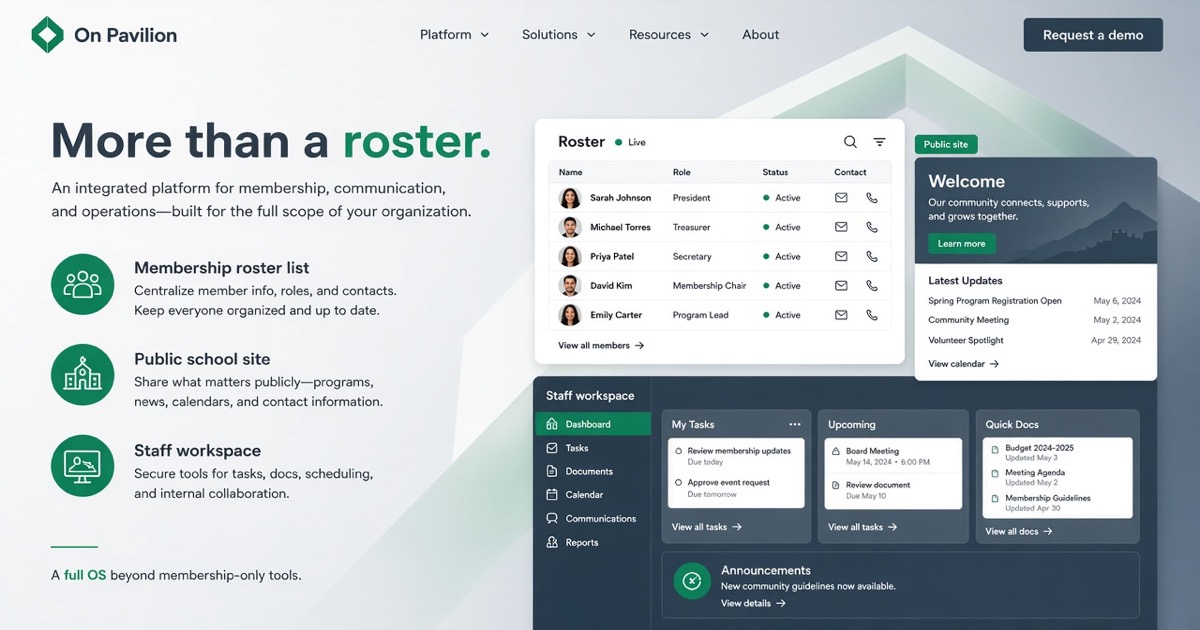
On Pavilion is built for that fuller job: public site, family login, and Staff on the school brand. See the PTO software pillar.
Product-true differences (no invented flaws)
We do not claim Membership Toolkit cannot collect dues. It can.
We claim PTOs that need continuity across site, family portal, and officer workspace need more than a membership module.
Parents should never see “Pavilion” on the school experience. Parent cards stay on your school Square. Pavilion software is $2,000 to build and $75/mo care. Details on Pricing.
Who should switch categories
Boards that already pay for a site builder plus a membership tool plus a form stack.
Incoming officers who inherit a roster but not a system.
Groups comparing membership products and realizing the public brand and Staff desk are still unsolved.
Who should stay
Boards happy with a simple dues product and a separate site they already trust.
Teams that only need a roster this year and will not run programs or shifts in-app.
Next step
Read Pricing and Product. Start at the PTO and PTA solution if you want the category page first.
Book a walkthrough from Contact or open demo.onpavilion.com.
Call or text +1 (571) 600-2835.