Replace the PTO spreadsheet with a Staff portal
If the truth lives in Sheets, the next board cannot find it. Move membership, shifts, and history into Staff while the public site stays on the school brand.
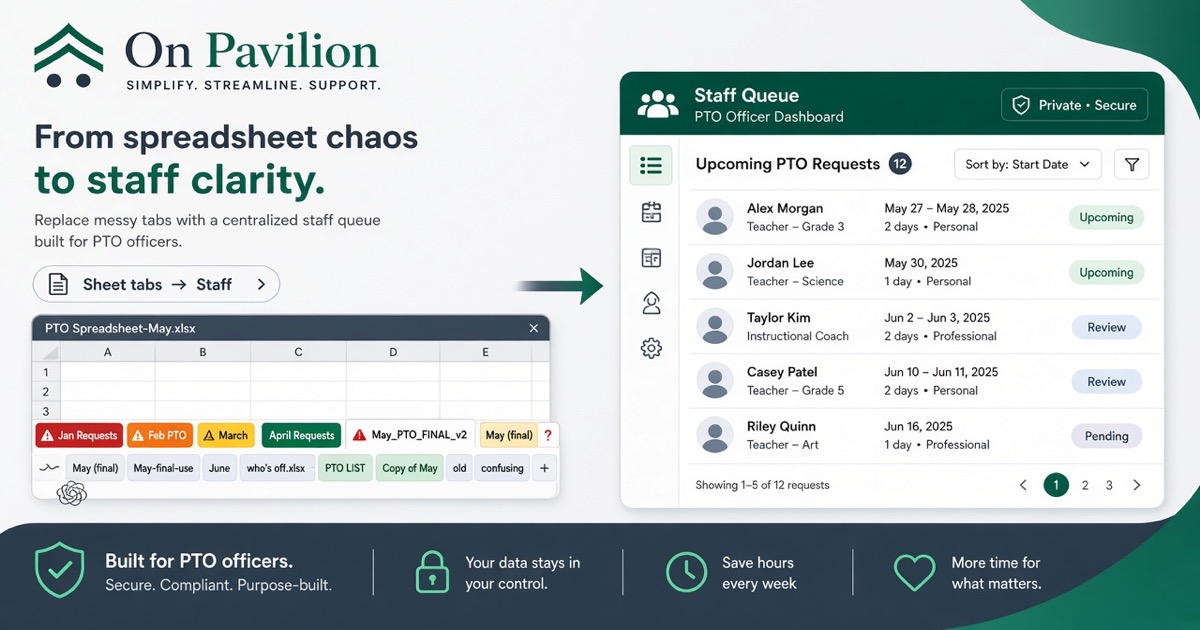
If the truth lives in Sheets, the next board can’t find it
The spreadsheet starts as a shortcut.
Then it becomes the membership list, the volunteer roster, the vendor tab, and the only place anyone trusts. One officer owns the file. Everyone else asks for a share.
When that officer leaves, the sheet leaves with them or becomes a mystery of tabs.
Failure modes
Duplicate emails after every paste from a form export.
No audit of who changed dues status.
Personal Drive links in the header row.
A “final” copy that is not the final copy.
What moves to Staff
Membership and renewals.
Volunteer shifts tied to households.
Queues officers actually work: payments, messages, and role tools.
History the next chair can open without hunting a Gmail.
What can stay light
One-off brainstorms and temporary scratch pads are fine in Sheets.
The system of record for the year should not be.
How this fits the OS
Staff is not a second website. It sits behind the school-branded public site and family login.
Parents still join on the school brand. Officers stop reconciling three exports. Parent cards stay on school Square. Pavilion care is $2,000 to build and $75/mo. See Pricing.
If the pain is June more than the sheet itself, read officer continuity and the Officer Continuity Playbook.
Next step
See Product, Pricing, and Contact. Open the demo at demo.onpavilion.com.
Call or text +1 (571) 600-2835.